
Running a digital marketing agency in 2026 is all about speed, data, and client experience. You need a CRM that keeps all leads, campaigns, and conversations in one place so nothing falls through the cracks.
In this guide, you will learn what to look for in a CRM, see the best CRM tools for digital marketing agencies, and understand which one fits your agency’s size and niche.
What Is a CRM for Digital Marketing Agencies?
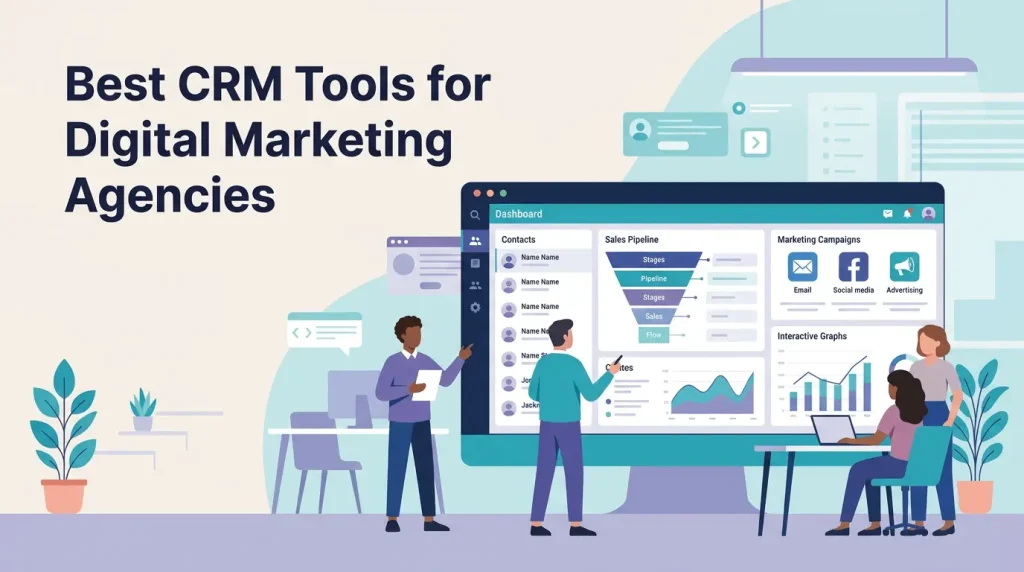
A CRM (Customer Relationship Management) system is software that helps agencies manage leads, clients, deals, tasks, and communication from one centralized dashboard.
For digital marketing agencies, a CRM is not just a contact database. It also helps you:
- Track lead sources from ads, SEO, social, or referrals
- Monitor client campaigns and pipelines
- Automate follow-ups and reminders
- Report on performance and revenue
When you connect your CRM with tools like email marketing, ad platforms, and project management, you build a scalable system that supports growth.
The competition among agencies is higher than ever in 2026, and clients expect clear reporting and fast communication.
Here is why the best CRM tools for digital marketing agencies matter:
- Better lead management: Capture, score, and nurture leads from multiple channels in one place.
- Higher client retention: Keep a full history of communication, proposals, and campaign results.
- Improved collaboration: Sales, account managers, and media buyers work from one shared system.
- Accurate reporting: See which services, channels, and clients generate the most revenue.
- Automation at scale: Use workflows to send emails, assign tasks, and move deals automatically.
When combined with Google’s Helpful Content and quality-focused updates, a good CRM also helps you organize data for better content and campaign decisions.
Key Features to Look For in Agency CRM Tools
Before you choose a CRM, list your agency’s current problems and future goals. Then match them with features that actually solve those issues.
Must-Have Features
- Lead and deal pipelines: Visual stages for prospects, proposals, and closed deals.
- Contact and company records: Unified profiles with notes, tasks, and communication history.
- Email integration: Sync with Gmail, Outlook, or other providers for smooth communication.
- Marketing automation: Drip campaigns, lead nurturing, and triggered emails based on behavior.
- Reporting and dashboards: Revenue, pipeline, campaign performance, and team productivity.
- Integrations: Connect with ad platforms, analytics, project tools, and support systems.
Nice-to-Have Features
- Client portal for approvals and reports
- Time tracking and billing for retainers
- AI features like smart lead scoring or suggested next actions
- Mobile app for on-the-go updates
Best CRM Tools for Digital Marketing Agencies in 2026
Below are some of the best CRM tools for digital marketing agencies based on features, flexibility, and suitability for different agency sizes and models.
Quick Overview Table
1. HubSpot CRM – All-in-One Powerhouse for Agencies
HubSpot is one of the most popular CRM platforms with dedicated hubs for marketing, sales, service, and operations.
Why It Works for Agencies
- Free core CRM with paid hubs as you grow.
- Strong marketing automation for email, lead nurturing, and segmentation.
- Detailed reporting on pipeline, campaigns, and revenue attribution.
- Large integration ecosystem with tools like Google Ads, Facebook Ads, and more.
This makes HubSpot one of the best CRM tools for digital marketing agencies that want to centralize marketing and sales data.
Pricing Snapshot
- Free CRM: core features for unlimited users.
- Paid Marketing, Sales, and Service Hubs start around $18–$20 per month at entry tiers and scale with contacts and features.
2. Zoho CRM – Customizable CRM for Multi-Service Agencies
Zoho CRM is a highly customizable platform used by millions of users worldwide and is often recommended for agencies that need flexible pipelines and processes.
Why It Works for Agencies
- Custom fields, modules, and pipelines to match your services and client journeys.
- Sales and marketing automation with workflows and rules.
- Good reporting and analytics for campaigns and revenue.
- Integrations with Zoho ecosystem and other popular tools.
Zoho CRM is often highlighted as a top choice for agencies needing an adaptable CRM without enterprise-level prices.
Pricing Snapshot
Zoho CRM offers paid plans starting near $14 per user per month with multiple tiers for advanced features.
3. Monday CRM – Visual CRM and Workflow Automation
Monday.com offers CRM functionality on top of its well-known work management platform, making it ideal for agencies that like visual boards and collaboration.
Why It Works for Agencies
- Visual pipelines using boards, timelines, and Kanban views.
- Custom automation for status changes, notifications, and assignments.
- Collaboration features for teams working on campaigns and projects.
- Mobile apps and integrations with tools like Google Workspace and Slack.
This CRM is a strong option for digital marketing agencies that want CRM, workflows, and project tracking in one tool.
Pricing Snapshot
Monday.com’s CRM-related plans start around €15 per user per month on annual billing, with multiple tiers for more automation and features.
4. OneSuite – All-in-One CRM for Client Lifecycle Management
OneSuite is designed specifically with agencies in mind and combines CRM with projects, proposals, invoicing, and client portals.
Why It Works for Agencies
- Integrated CRM, project management, invoicing, and client portal in a single platform.
- Visual work management with Kanban boards and timelines.
- Automation workflows for leads, deals, and projects.
- Flat-rate pricing model that can be attractive for small teams.
If your agency wants to reduce tool overload and manage the full client lifecycle in one place, OneSuite is a strong candidate.
Pricing Snapshot
OneSuite offers a flat rate plan (example: around $29 per month for up to 5 users as described) which is appealing for small to mid-sized agencies.
5. Productive – CRM Plus Project and Profitability Tracking
Productive is built for agencies and service businesses that bill by time or retainers and need deep insight into utilization and profitability.
Why It Works for Agencies
- CRM module tied directly to projects and budgets.
- Time tracking, resource planning, and financial reporting.
- Helps you understand which clients and services are most profitable.
- Suitable for agencies that manage complex, long-term projects.
If your focus is on profitability, capacity, and accurate billing, Productive can become your central operations hub.
Pricing Snapshot
Productive starts from around $55 per month depending on team size and modules selected, with tiers for more advanced reporting and features.
6. Creatio – Advanced Marketing CRM for Larger Agencies
Creatio offers a suite of CRM products including marketing, sales, and service, and is often mentioned among the top marketing CRMs in 2026.
Why It Works for Agencies
- Strong marketing automation and campaign management.
- Custom workflows and low-code tools for building tailored processes.
- Designed for teams that need scalable, enterprise-level functionality.
Creatio is more suitable for larger agencies or groups that need a robust and customizable marketing CRM platform.
7. Keap – Funnel-Focused CRM for Small B2B Agencies
Keap combines CRM, marketing automation, and sales funnels, and is often recommended for small businesses and service providers.
Why It Works for Agencies
- Built-in lead capture, automation, and email campaigns.
- Good for agencies that sell packages, funnels, or consulting.
- Automation for follow-ups, onboarding, and upsells.
Keap can be one of the best CRM tools for digital marketing agencies that want powerful automation without complex setup.
More:- seo-strategy-in-2025
Pricing Snapshot
Keap pricing starts at higher tiers than some basic CRMs, with example entry plans in the low hundreds of dollars per month depending on contacts and features.
8. Simple CRMs for Small Agencies: Capsule, Nimble & Others
If you run a small digital marketing agency or are just starting, simpler CRMs like Capsule or Nimble can be more than enough.
Why They Work for Small Teams
- Easy to set up and learn.
- Affordable pricing with free or low-cost starter plans.
- Core features like contacts, pipelines, and basic automation.
Many growth-focused agencies start with a simple CRM and later upgrade to more advanced platforms as they scale.
How to Choose the Best CRM for Your Digital Marketing Agency
Choosing the best CRM tools for digital marketing agencies depends on your size, services, and processes.
Step 1: Clarify Your Use Cases
Ask yourself:
- Do we mainly need lead management and basic pipelines?
- Do we need built-in marketing automation for emails and campaigns?
- Do we need project and billing in the same system?
Map your needs first, then match tools to them.
Step 2: Consider Team Size and Budget
- Solo or small agencies: Capsule, Nimble, Zoho CRM lower tiers, or Monday Basic.
- Growing agencies: HubSpot, Zoho CRM advanced tiers, Monday CRM, OneSuite.
- Larger agencies: Creatio, Productive, or more advanced HubSpot/Zoho setups.
Look for transparent pricing and free trials before committing.
Step 3: Check Integrations and Ecosystem
Verify that the CRM connects with:
- Google Workspace or Microsoft 365
- Your email marketing tools
- Ad platforms like Google Ads, Meta Ads, or others
- Project and task management tools
Integration support is crucial for a smooth tech stack in 2026.
Step 4: Test Workflows With a Trial
Use trial periods to build:
- A sample pipeline
- An automated follow-up sequence
- Basic reports and dashboards
Let your team test the CRM for 1–2 weeks before choosing.
Using a CRM to Improve SEO, Content, and Lead Quality
A good CRM can indirectly improve your SEO and content marketing by giving you better data on which topics and offers convert.
You can use CRM data to:
- Identify industries or niches where you close most deals
- See which lead magnets or blog topics bring high-value leads
- Build remarketing audiences based on lifecycle stage
This aligns well with Google’s 2025–2026 focus on helpful, user-first content and real business outcomes rather than shallow keywords.
Best Practices for Implementing CRM in a Marketing Agency
To get real value from the best CRM tools for digital marketing agencies, you must implement them correctly.
- Define clear pipeline stages: For example, New Lead → Qualified → Proposal Sent → Won → Onboarding.
- Standardize data entry: Use required fields and clear naming for deals and contacts.
- Automate repetitive tasks: Follow-up emails, reminder tasks, and onboarding workflows.
- Train your team: Run short training sessions and create internal SOPs.
- Review reports regularly: Weekly or monthly pipeline and revenue reviews.
When your CRM becomes part of your daily routine, your agency execution becomes much more predictable.
FAQ – Best CRM Tools for Digital Marketing Agencies
1. Which CRM is best for a small digital marketing agency?
For small agencies, simple and affordable CRMs like Capsule, Nimble, or lower-tier Zoho CRM plans work well because they balance cost and essential features.
2. Which CRM is best for agencies offering full-funnel services?
HubSpot CRM is a strong choice for full-funnel agencies because it combines CRM, marketing automation, content tools, and reporting in one platform.
3. Can I manage projects and invoices inside a CRM?
Yes, tools like OneSuite and Productive combine CRM with project management, time tracking, and invoicing specifically for agencies.
4. How much should a digital marketing agency spend on a CRM?
Many small agencies start with free or low-cost plans around $10–$20 per user per month, while growing or larger agencies may invest higher amounts for advanced features and automation.
5. How does a CRM help with client retention?
A CRM stores all communication, tasks, and performance data in one place, helping you respond faster, deliver consistent updates, and identify upsell opportunities, which improves client retention.